The parts desk Buying guides

How to choose LEGO Technic pins, axles and connectors

Replacing a missing piece or matching a loose part? Compare the shapes below, check length and friction, then confirm the details before you buy.

Have a part number? Start with that.

Look in the inventory at the back of the set instructions or in the designer's parts list. Search the catalogue, then compare the result with the original part. If the number is not recognised, our part-number guide explains design and element numbers.

Matching a loose piece? Start with its shaft and both ends, then work through length, friction and any stops or holes below.

Is it a pin, an axle or both?

Turn the piece around before deciding. A round end and a cross-shaped end do different jobs, even when they belong to the same part.
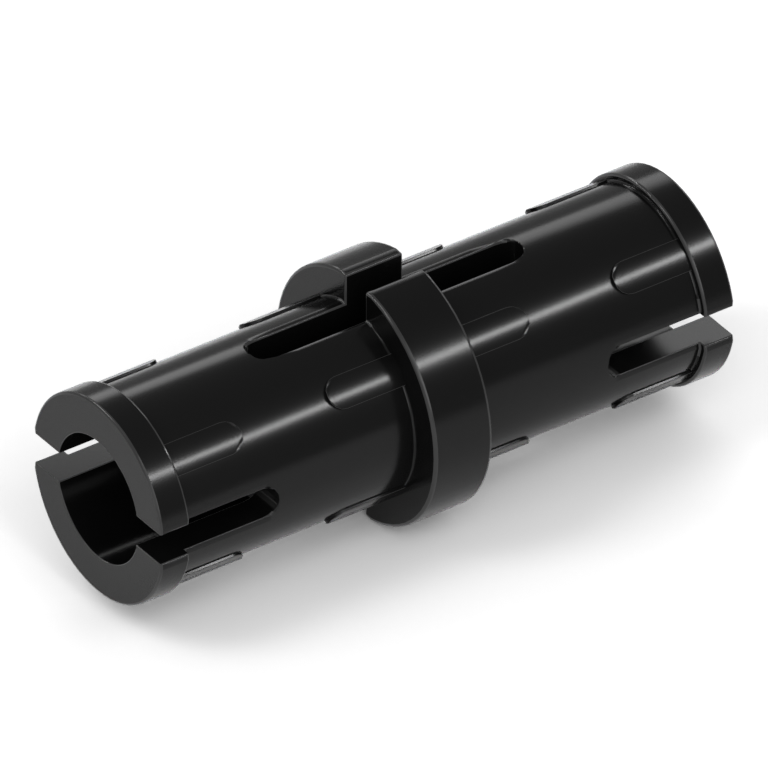
A black 2L Technic pin, with a round split shaft, central collar and friction ridges.

Pin

A round shaft, usually split at the ends, joins parts through round holes. Check whether it has friction ridges.

Compare the two pin types
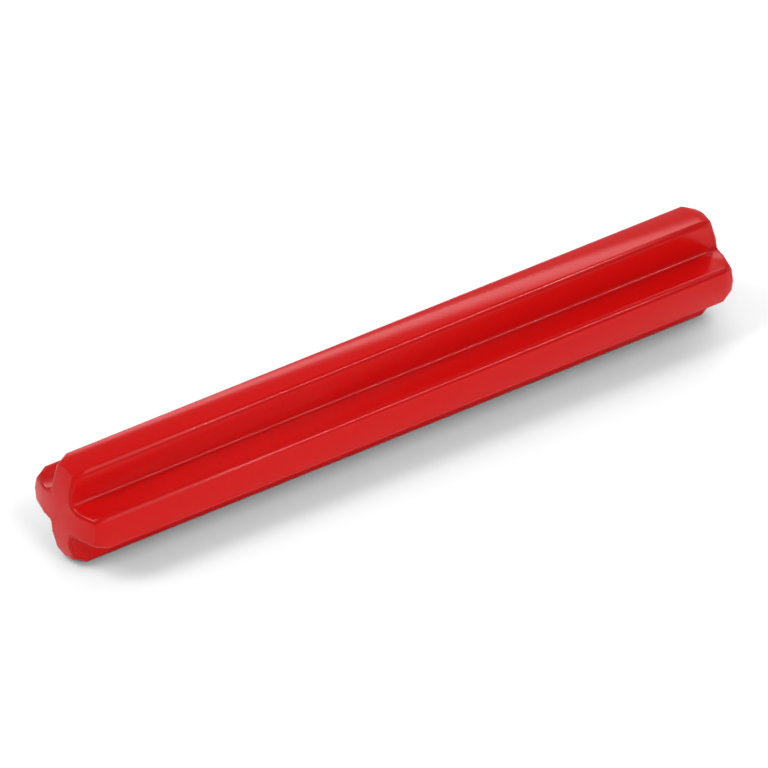
A red plain 4L Technic axle with a cross-shaped shaft along its length.

Axle

A cross-shaped shaft engages matching holes so a gear, wheel or connector turns with it. This example is a plain 4L axle.

View axle 3705
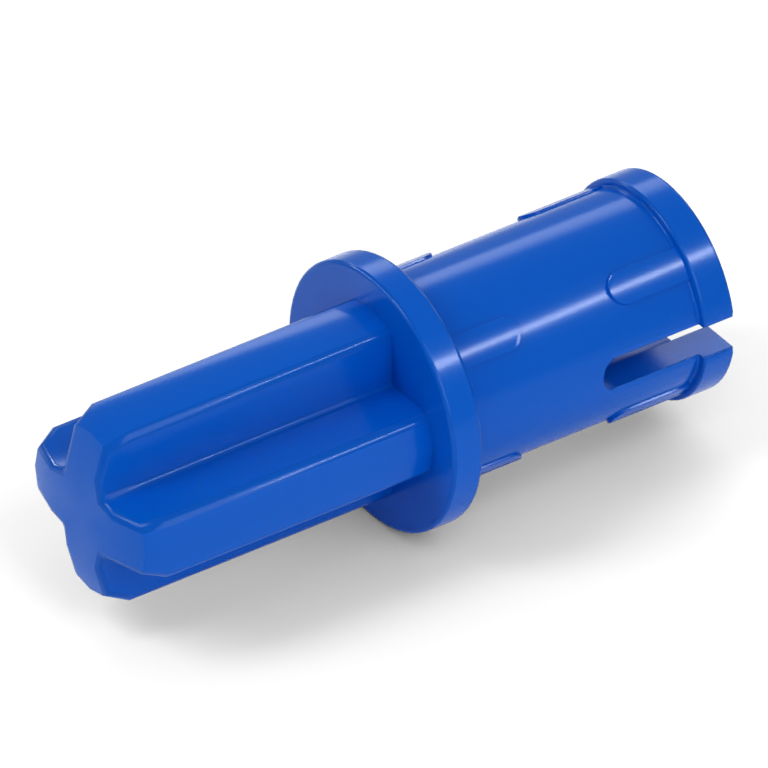
A blue Technic axle-pin with a cross-shaped axle at one end and a round friction pin at the other.

Axle-pin

An axle at one end and a pin at the other. Part 43093 has a 1L axle section and a 1L pin section with friction ridges.

View axle-pin 43093

Renders show representative moulds. Images are enlarged independently, so compare the stated lengths rather than their size on screen.

Check the hole it goes into

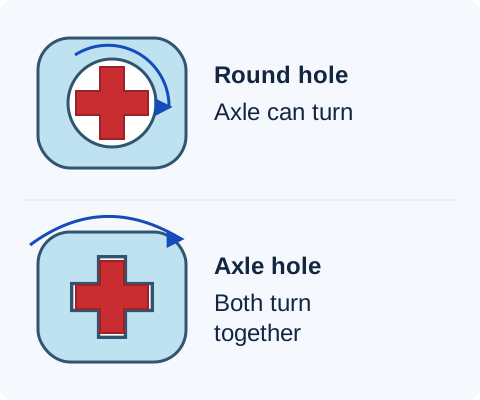
Two front-view diagrams: a cross-shaped axle can rotate inside a round hole; a matching cross-shaped hole turns with the axle.
A round hole can support a rotating axle. A cross-shaped hole engages the axle so the two parts turn together. These simplified front views show the connection, not a complete mechanism.

A gear may need to turn with its axle while the supporting beam lets that axle rotate. Match the hole shape and the intended movement shown in the instructions.

Which pin: with or without friction ridges?

Two pins can have the same length and fit the same hole but make a linkage feel very different.

Part 2780, a black 2L pin with short raised friction ridges along the shaft.

With friction ridges: 2780

Raised ridges add resistance to rotation. Often used to hold beam connections more firmly. Look for the ridges on the shaft, not just the split at the ends.

View friction pin 2780
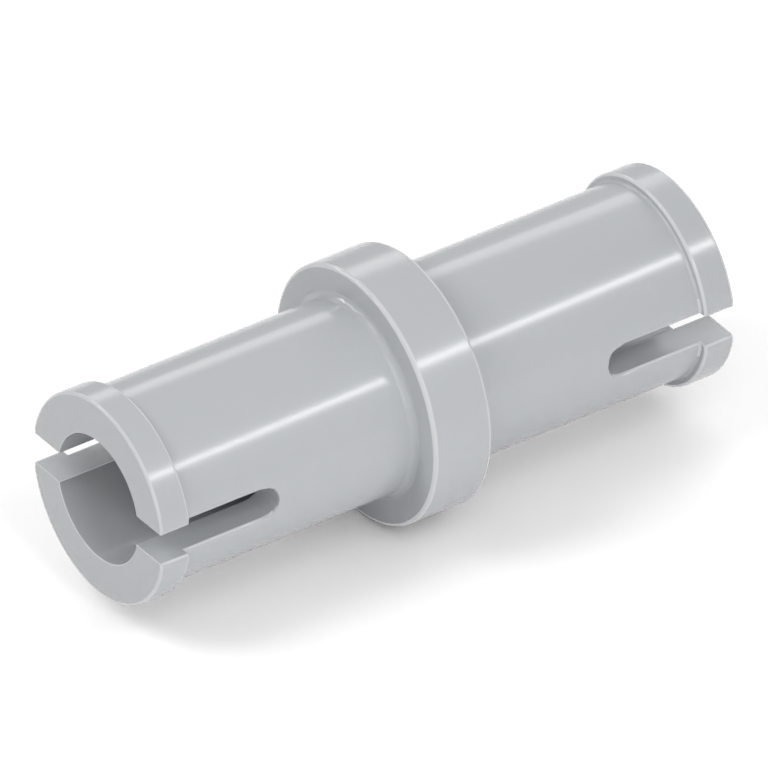
Part 3673, a Light Grey 2L pin with smooth shaft sections and no friction ridges.

Without friction ridges: 3673

Smoother shaft sections allow easier rotation. Often used at a pivot or moving linkage. Also called a frictionless pin, although the connection still has some friction.

View pin 3673
Example: a moving linkage

The right length can still be the wrong pin.

If a linkage uses 3673 as a pivot, replacing it with 2780 adds resistance at that joint. Both are 2L pins, but they are not the same replacement. Match the specified friction type before ordering.

Use colour to narrow your search, then check the design.

Black, blue, grey and tan are useful clues for familiar parts, but they are not universal friction codes. Different designs can share a colour, and one design can exist in several colours. Confirm the part number, ridges and end shapes.

Measure in stud units, not centimetres

L means length in stud units. A plain 4L axle spans the footprint of a four-stud-long brick. Use a known brick or the length reference in the instructions to compare it.
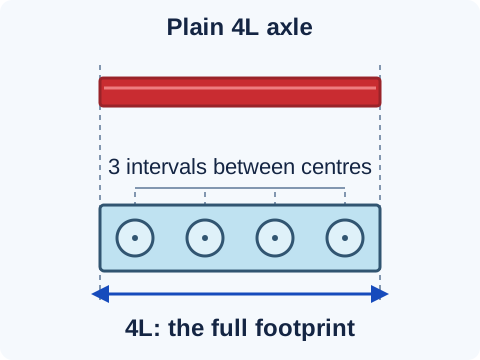
A plain 4L axle aligned with the full length of a four-stud-long brick. Four stud centres span three intervals, while the complete footprint spans four units.
Compare the full footprint, edge to edge. Counting the gaps between four stud centres gives only three intervals. This diagram is not an actual-size ruler.

Instructions marked 1:1 can be used as an actual-size reference when displayed or printed at the intended scale. For a printable reference, use LEGO's Technic measurement chart at 100% scale; avoid “fit to page”.

For pins, check how the length is divided
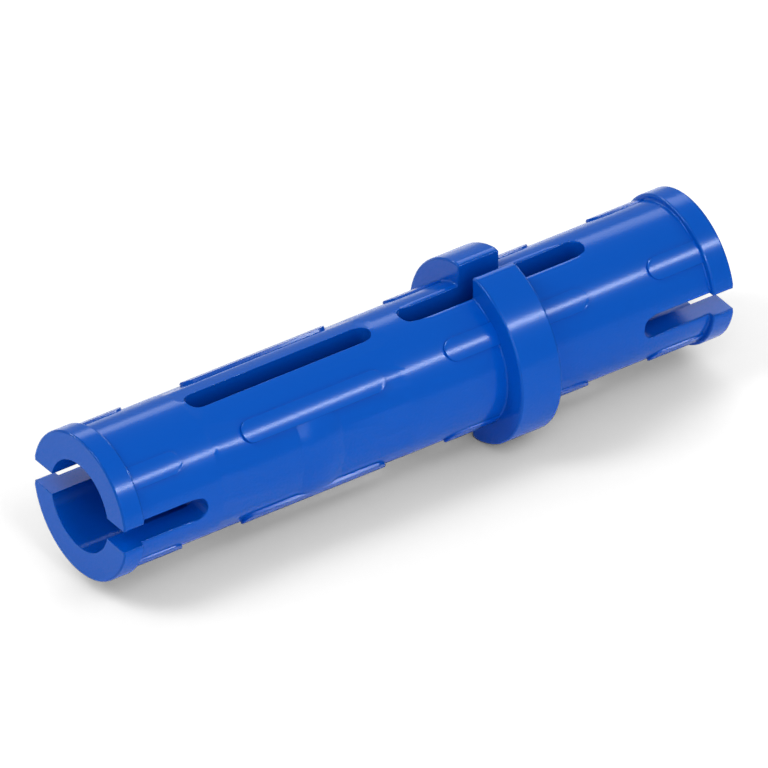
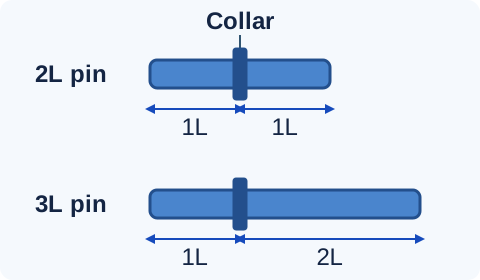
A blue 3L friction pin, part 6558, with its collar positioned closer to one end. Side-view schematics comparing a 2L pin divided by its collar into 1L and 1L sections, and a 3L pin divided into 1L and 2L sections.
The collar is the raised ring that limits insertion. On these examples it divides a 2L pin into 1L + 1L and a 3L pin into 1L + 2L. Check both sides of the collar, including on axle-pins. View 3L pin 6558.

Does it need a stop or a bush?

These features keep an axle or another component in position. Match them as carefully as the axle's length.
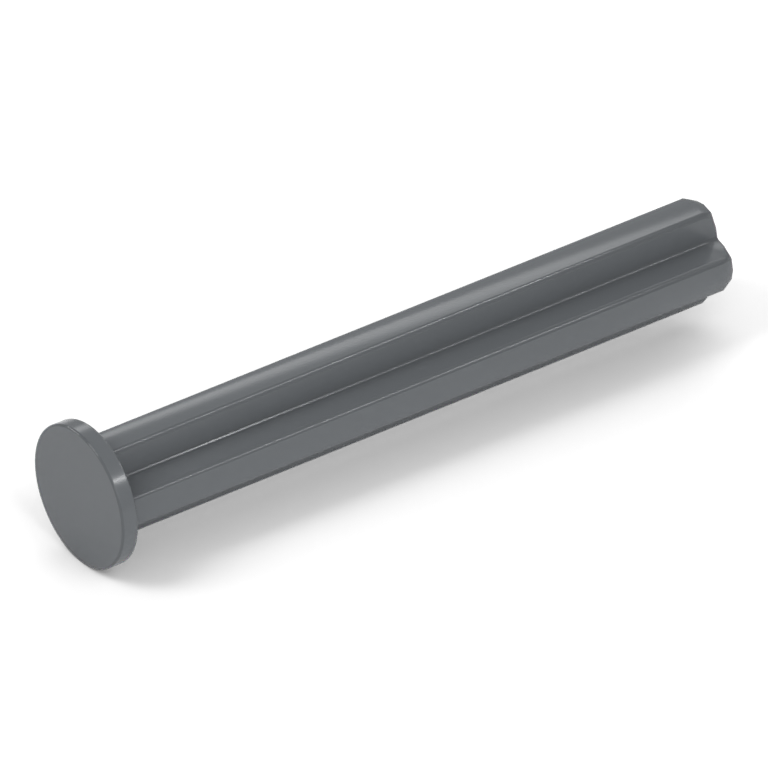
A Dark Grey 4L axle with an integral stop near one end, part 87083.

Axle with stop

The stop is part of the axle. It prevents the axle sliding through an opening in one direction. Check its position and which end enters the assembly first.

View stopped axle 87083
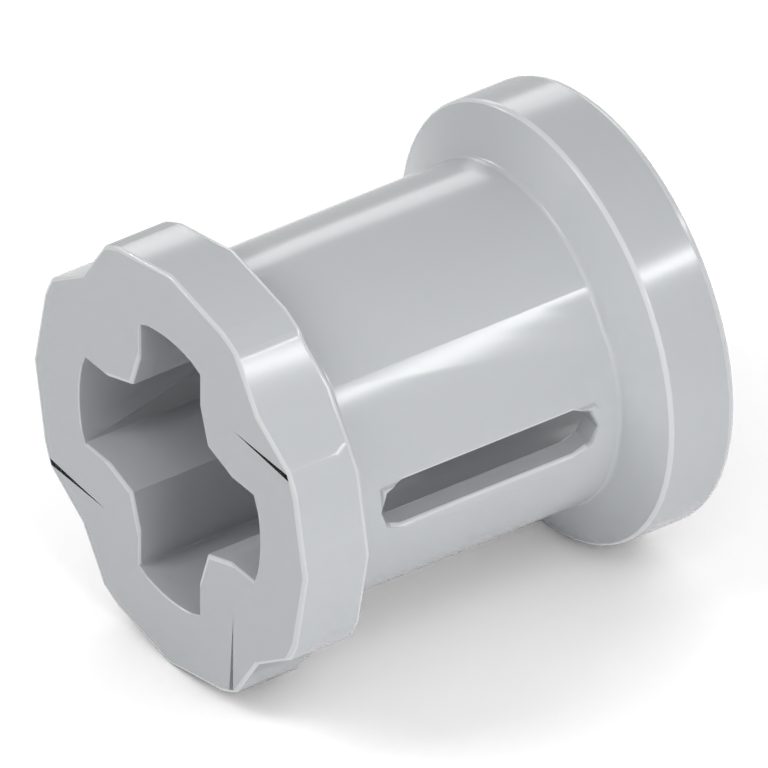
A separate Light Grey Technic bush, part 3713, with a cross-shaped axle hole.

Bush

A separate piece that fits onto an axle to help locate components along it. Check whether the instructions require a full bush, half bush or another specific design.

View full bush 3713

A plain axle plus a bush is not automatically a substitute for a stopped axle. The bush needs space, and the assembly order may prevent you fitting it in the required position.

Match every hole in a connector

Compare hole shape, direction and spacing. A similar outline is not enough: one opening may accept a pin while another engages an axle.
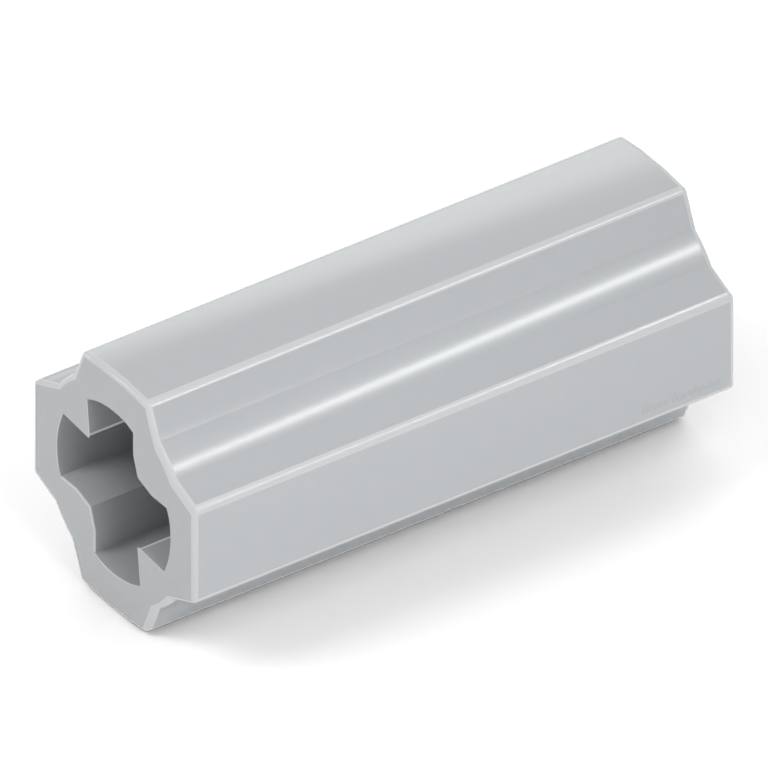
A Light Grey straight 2L axle connector, part 6538c, with axle openings along the same line.

Straight axle connector

Joins axle sections along the same line. Check the axle-hole orientation and the particular connector design.

View connector 6538c
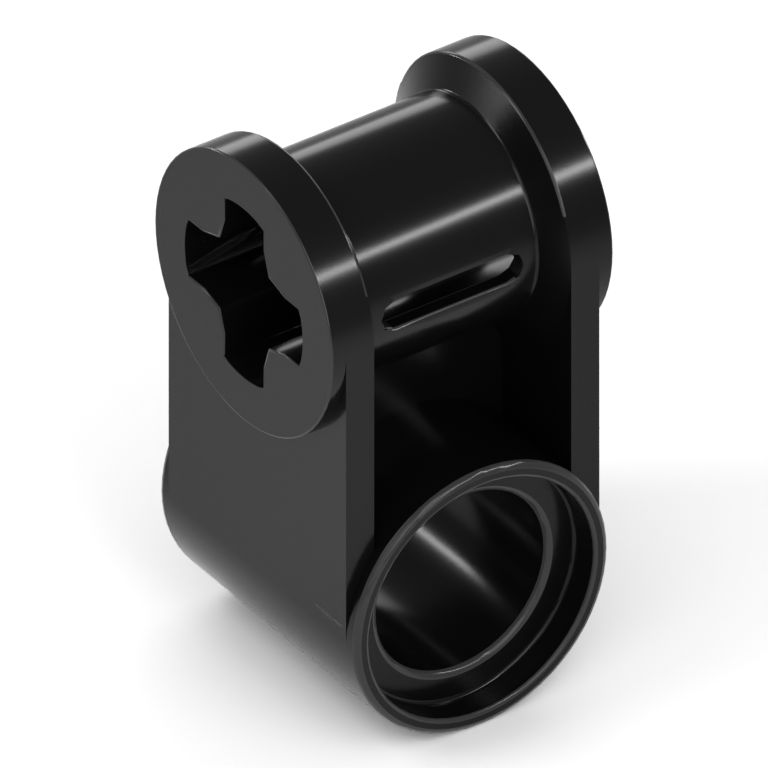
A black axle and pin connector, part 6536, with an axle opening perpendicular to its round pin opening.

Perpendicular connector

Part 6536 places an axle connection at a right angle to a pin hole. Check which opening goes onto each part.

View connector 6536
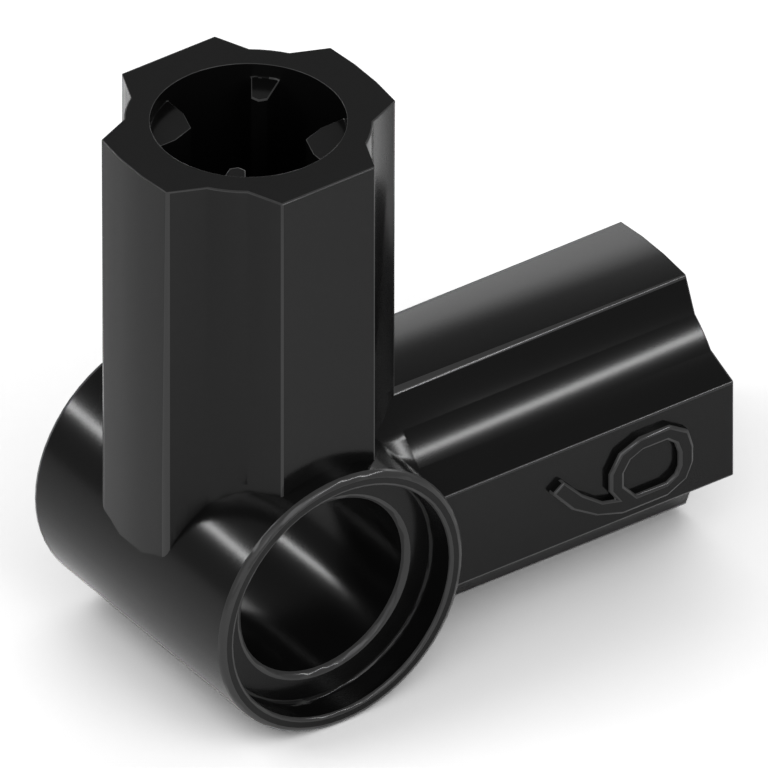
A black angled axle and pin connector, part 32014, with its two axle connections arranged at 90 degrees.

Angled connector

Match the angle and connector number. This is part 32014, number 6, at 90 degrees. Other numbered connectors have different geometry.

View connector 32014
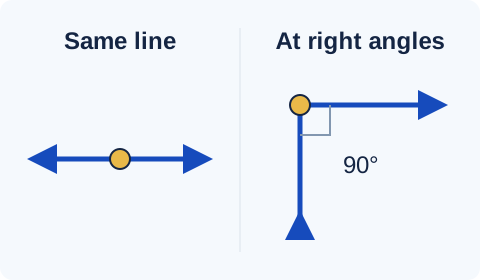
Direction diagrams showing connections along the same straight line and connections at a 90-degree angle.
Check the directions of the openings as well as their shapes. These are direction diagrams, not connector outlines. An angled connector fixes an angle; it does not replace gears that turn a drive through a corner.

Five checks before you buy

  1. Confirm the reference. Match the part number from the instructions or parts list. If you identified the piece visually, compare the listing's description and all available views.
  2. Match the connections. Check both ends, every hole, the friction type and any stop, collar or stud.
  3. Check each length. Include the sections on either side of a collar and the spacing between connector holes. Extra axle length can obstruct another part.
  4. Check the mould version. Mould details can differ within a catalogue entry. Follow any exact variant requirement in the parts list.
  5. Choose colour and quantity. Keeping the original colour makes the instructions easier to follow. Confirm how many pieces you need before adding them to your order.

Browse Technic parts or use the search below. Buying for a custom build? The MOC buying guide explains how to upload a complete parts list.

Common questions

Can I replace an axle with a longer one?

Match the specified length for a straightforward replacement. A longer axle can hit another moving part, prevent a panel fitting or put a stop in the wrong position. Only substitute after checking the complete assembly.

Why is my axle hard to turn even with the correct parts?

Check alignment and whether gears or bushes have been pushed too tightly against neighbouring parts. Some Technic connections need a little clearance to move. Follow the spacing in the instructions before assuming the axle or pin is wrong.

My part looks slightly different from the picture. Is it wrong?

Not necessarily. Some catalogue entries group mould variations, including differences in slots and pin ends. Check the number and functional features, and follow any exact variant specified by the set or designer. The part-number guide explains these differences.