

A visual guide to LEGO part types
Which family looks like your piece?
Compare the top, sides and underside. The examples below are all Light Grey so you can focus on shape. Each image is enlarged to show its features; use the stated dimensions to judge size.
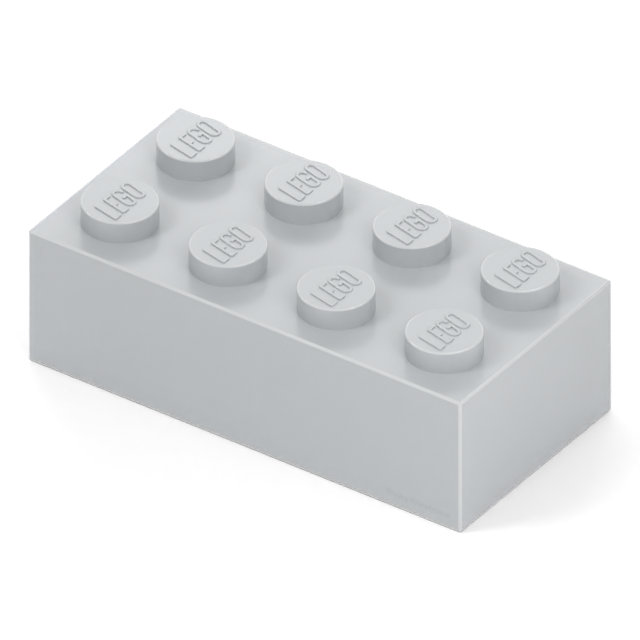
Brick
A full-height body with studs on top. Count the stud positions across and along the piece. Example: 3001, brick 2 x 4.
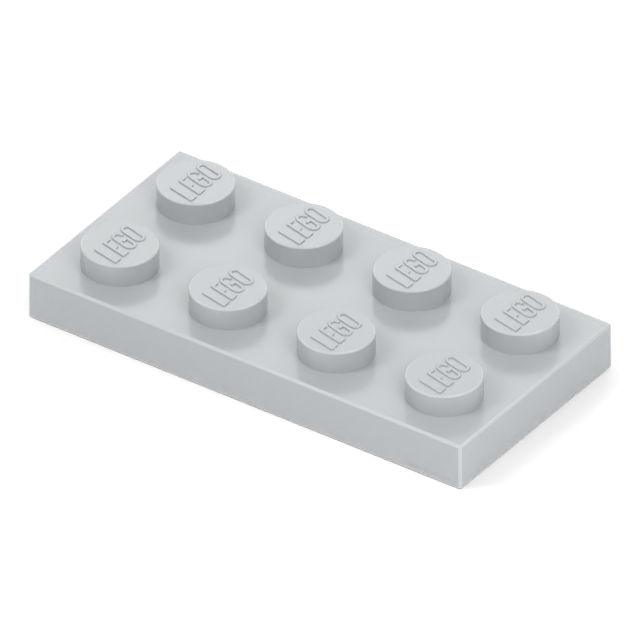
Plate
A thin body with studs on top. Three ordinary plates stack to the body height of one standard brick. Example: 3020, plate 2 x 4.
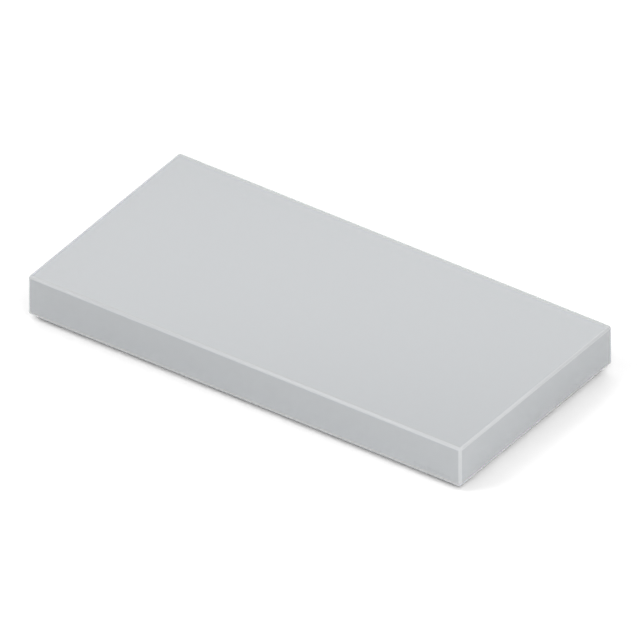
Tile
A plain tile has a smooth top. It finishes a surface without top studs for another layer to attach to. Example: 87079, tile 2 x 4.
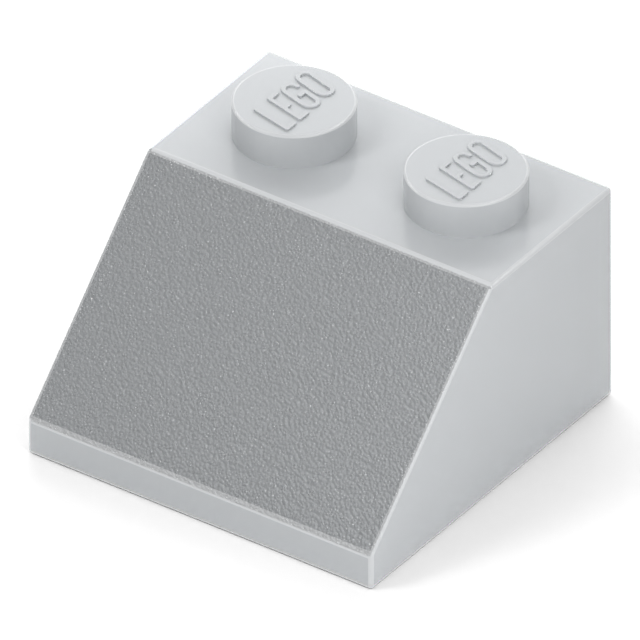
Slope
A face that changes height when viewed from the side. Check the angle, height and whether it is curved or inverted. Example: 3039, slope 45 2 x 2.
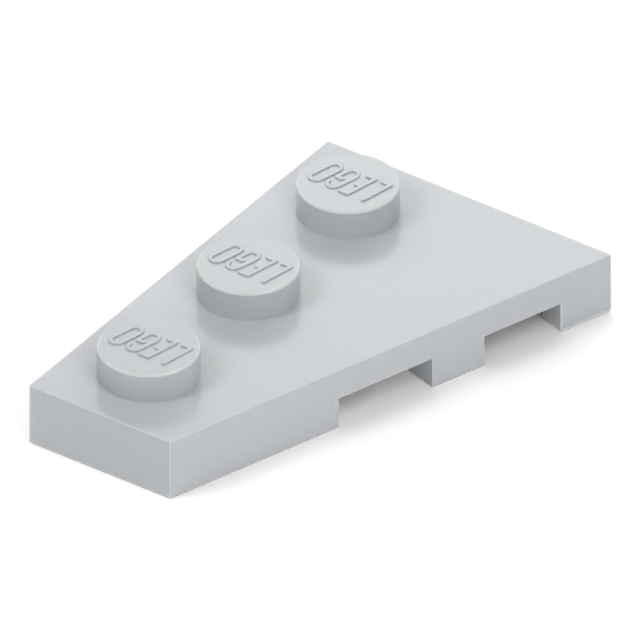
Wedge
A tapered outline when viewed from above. Some designs have separate mirrored versions. Example: 43723, wedge plate 3 x 2 left.
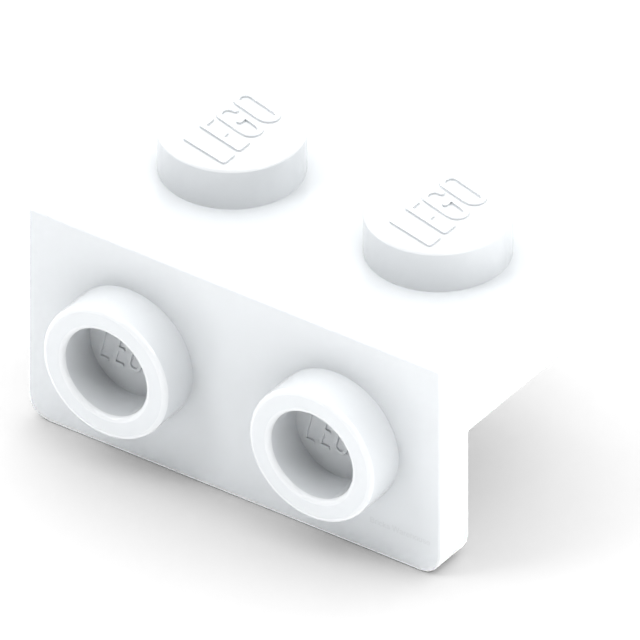
Bracket
A thin section turns the stud connection through a right angle. Match its upward or downward extension and offset. Example: 99781, bracket 1 x 2 – 1 x 2.
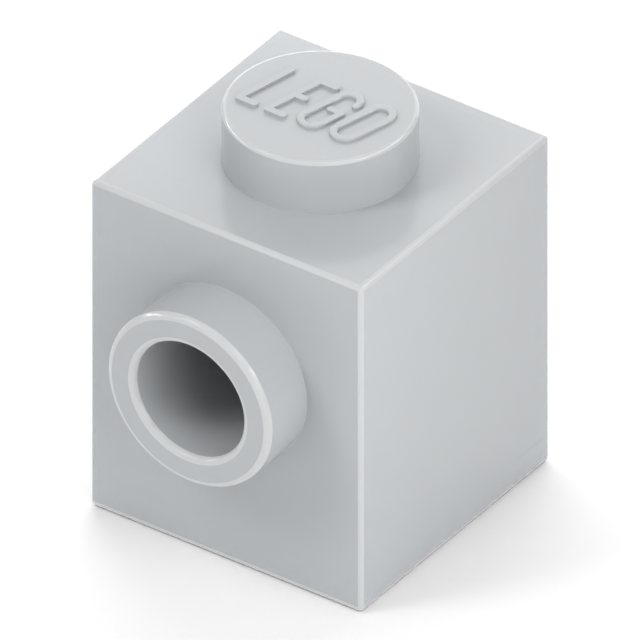
Modified brick or plate
A base shape with an extra connection or feature. Name that feature as well as the footprint. Example: 87087, brick 1 x 1 with stud on side.
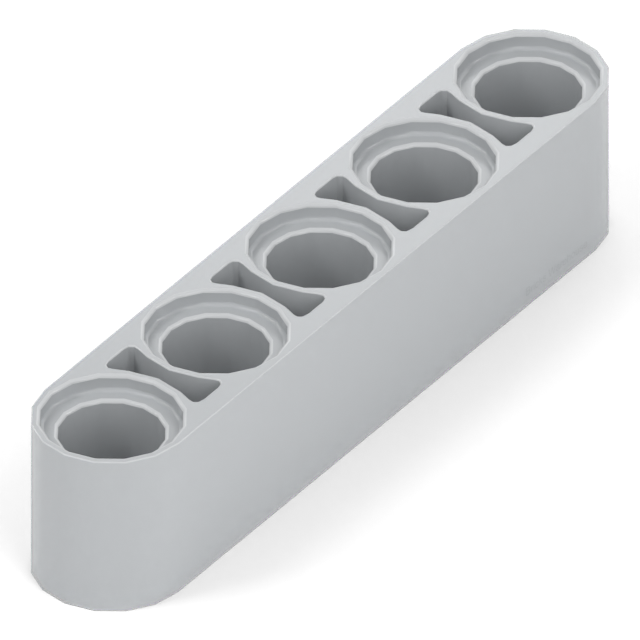
Technic beam / liftarm
A body with connection holes and no top studs. Count hole positions on a straight beam, then check thickness and hole shape. Example: 32316, thick 1 x 5 liftarm.
Count the footprint, then check the height
2 x 4 means two stud positions across and four along. These are stud units, not centimetres. A plain tile uses the same footprint convention even though it has no top studs.
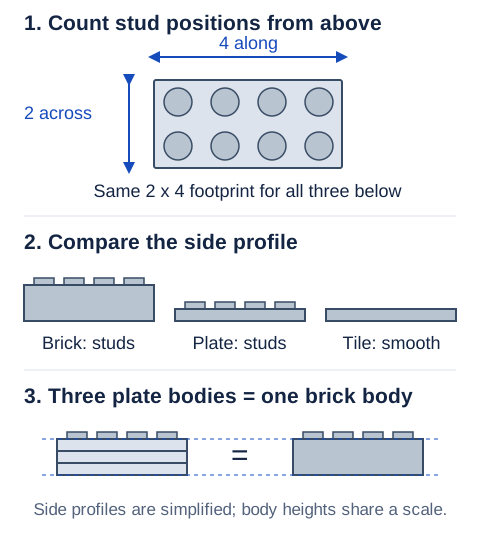
A 2 x 4 brick, plate and tile cover the same area, but they do different jobs. For a bracket, slope or modified piece, also check height, extensions and connection positions. For a straight five-hole Technic beam, the hole count gives its 5L length; bent beams need their full stated dimensions.
Name the clip, bar or hinge
“Modified” covers many different designs. Identify what projects from the base and where it sits. A clip grips a bar; a hinge needs the matching hinge component.
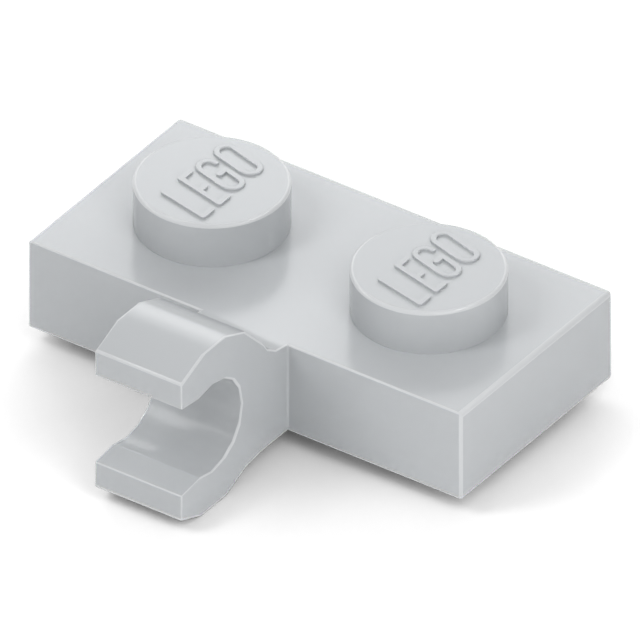
Clip: an open grip
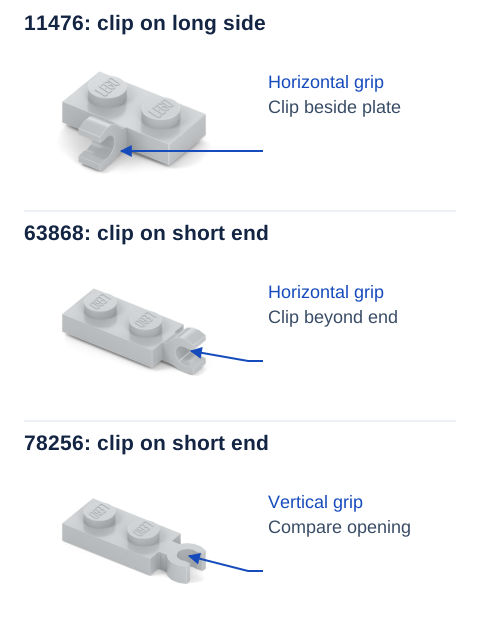
Look for the opening that grips a bar. Check the clip's position and the direction of its grip. 11476 places the clip on the long side of a 1 x 2 plate.
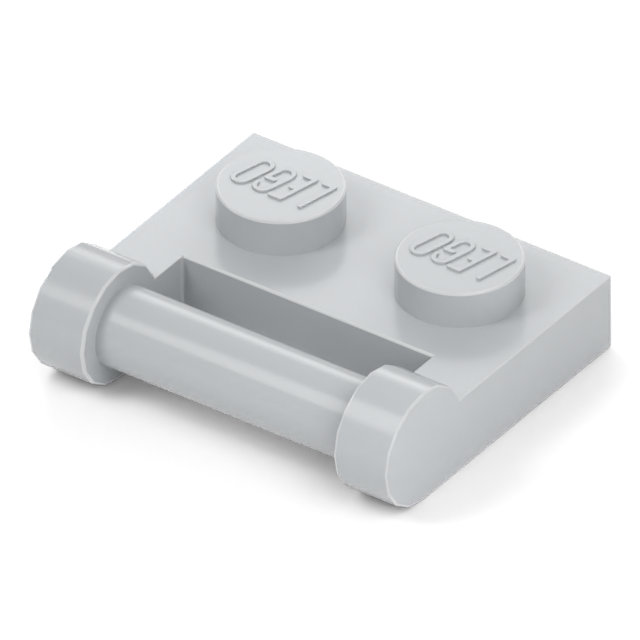
Bar: a narrow handle or shaft
A bar can be gripped by a compatible clip. Check its length, position and surrounding clearance. 48336 has a bar handle along the side of its plate.
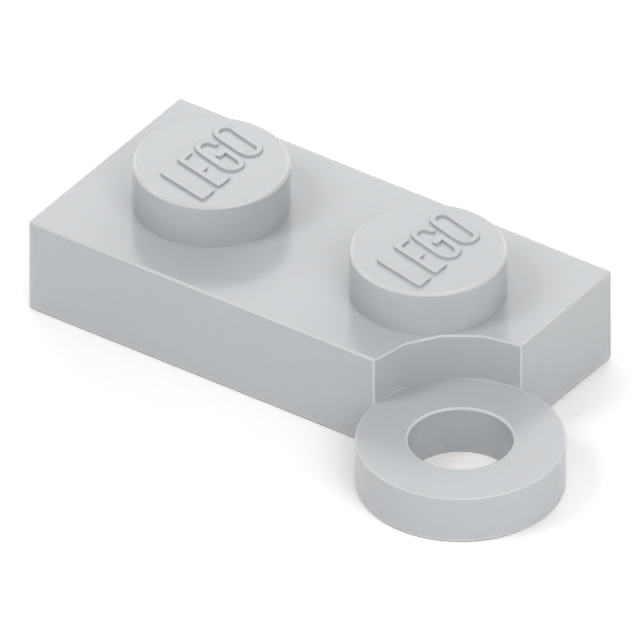
Hinge: part of a moving joint
Match the hinge system and the half you need. 2429 is a swivel base, not a complete hinge. Finger hinges, locking hinges and swivel hinges use different connections.
Compare the details that change the fit
A similar outline is a starting point. Keep the parts in the same orientation and compare the connections before treating them as a match.
Regular slope or inverted slope?
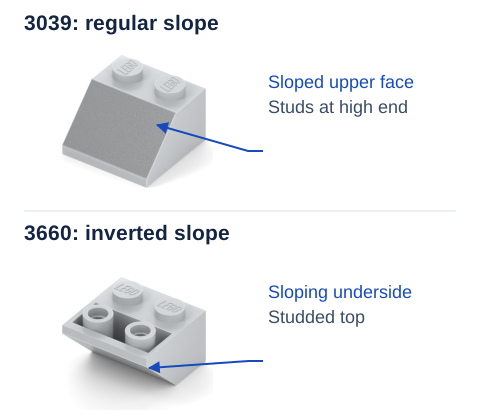
Slope describes a change in height; wedge describes a tapered footprint. Look from the side for a slope and from above for a wedge. A part can have both features.
Left wedge or right wedge?
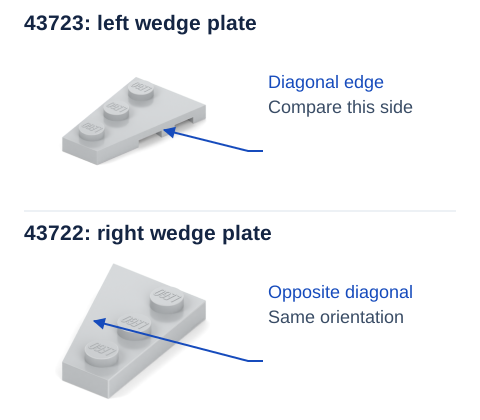
Bracket or side-stud brick?
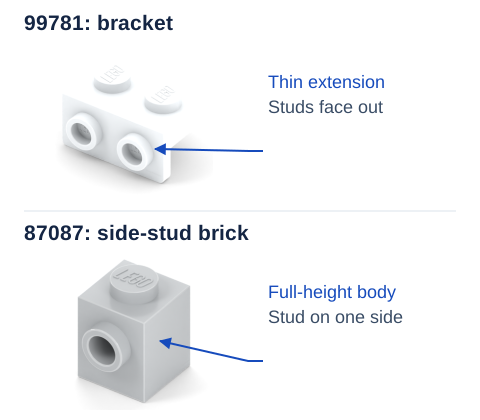
Technic brick or studless beam?
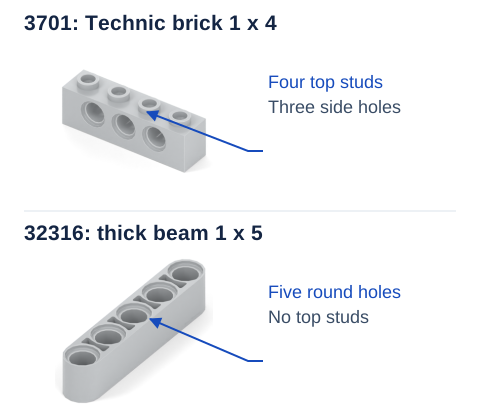
Match the hole spacing, end shape, thickness and any required top studs. For pins, axles, friction and stops, use the Technic connection guide.
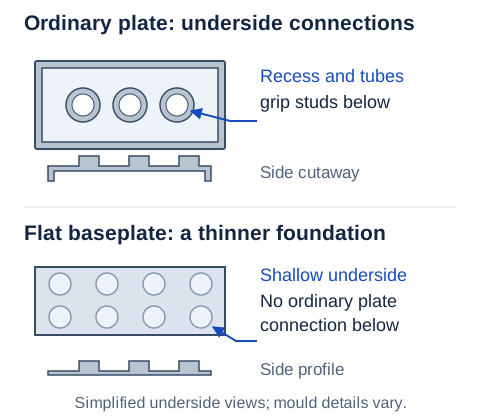
Ordinary plate or baseplate?
Build a search from what you can see
Worked example: three 1 x 2 clip plates
| Part | Clip location | Catalogue grip |
|---|---|---|
| 11476 | Long side | Horizontal |
| 63868 | Short end | Horizontal |
| 78256 | Short end | Vertical |
If the clip belongs on the short end, set 11476 aside. Then compare the grip: 63868 and 78256 hold the bar in different directions relative to the plate. Keep the top studs facing up when comparing them; rotating a thumbnail can hide that distinction.
No useful results yet?
- Remove colour from the query. Identify the shape first, then use the colour options.
- Broaden the description. Start with plate clip, then add 1 x 2 or end once you see the relevant family. Try beam and liftarm for Technic parts.
- Turn the piece over. A tube, recess, groove or hinge socket can separate otherwise similar parts.
- Check for a number. Look for a moulded design number or an element number in the instructions, then follow the part-number guide.
Confirm the match before choosing colour
- Dimensions: footprint, height or length, plus any projecting section.
- Connections: number, location and direction of studs, clips, bars, holes or hinges.
- Orientation: left/right, regular/inverted and upward/downward extensions.
- Decoration: the correct print or sticker as well as the plain shape.
- Order options: colour, condition and quantity after confirming the design.
For an exact replacement, use the part specified in the instructions where possible. If the design matches but the colour is uncertain, continue with the colour-matching guide. The replacement-parts guide explains how to work from a set.